Design of multimedia car interface
Work
Tools
Date
The primary goal of this project is to design an intuitive, user-friendly display and interface for a car, enhancing the driving experience by providing easy access to essential controls and information.
User research and feedback
To inform the design process, we conducted extensive user research, including:
1. User interviews
Direct conversations with several users to understand their needs, preferences, and pain points.
2. Persona development
Creation of detailed personas representing different types of users, ensuring that the design caters to a wide range of preferences and requirements.


3. YouTube test-Drives
Analysis of various test-drive videos to gather insights on user interactions and feedback in real-world scenarios. Main feddback:
- It is convenient to adjust the temperature with rotating knobs.
- As well as voluming audio up or down.High contrast display.
- Easy access to settings, no need to go several levels deep.
Design Principles
User convenience
Leveraged insights from user research indicating a strong preference for physical controls by incorporating rotating knobs for adjusting temperature and audio volume.
Visibility and clarity
Adopted a high-contrast display to ensure clear visibility of critical information under various lighting conditions, minimizing driver distraction and enhancing readability.
Simplicity and accessibility
Ensured easy access to settings by designing an interface that minimizes the need for deep menu navigation, allowing drivers to quickly adjust essential controls.
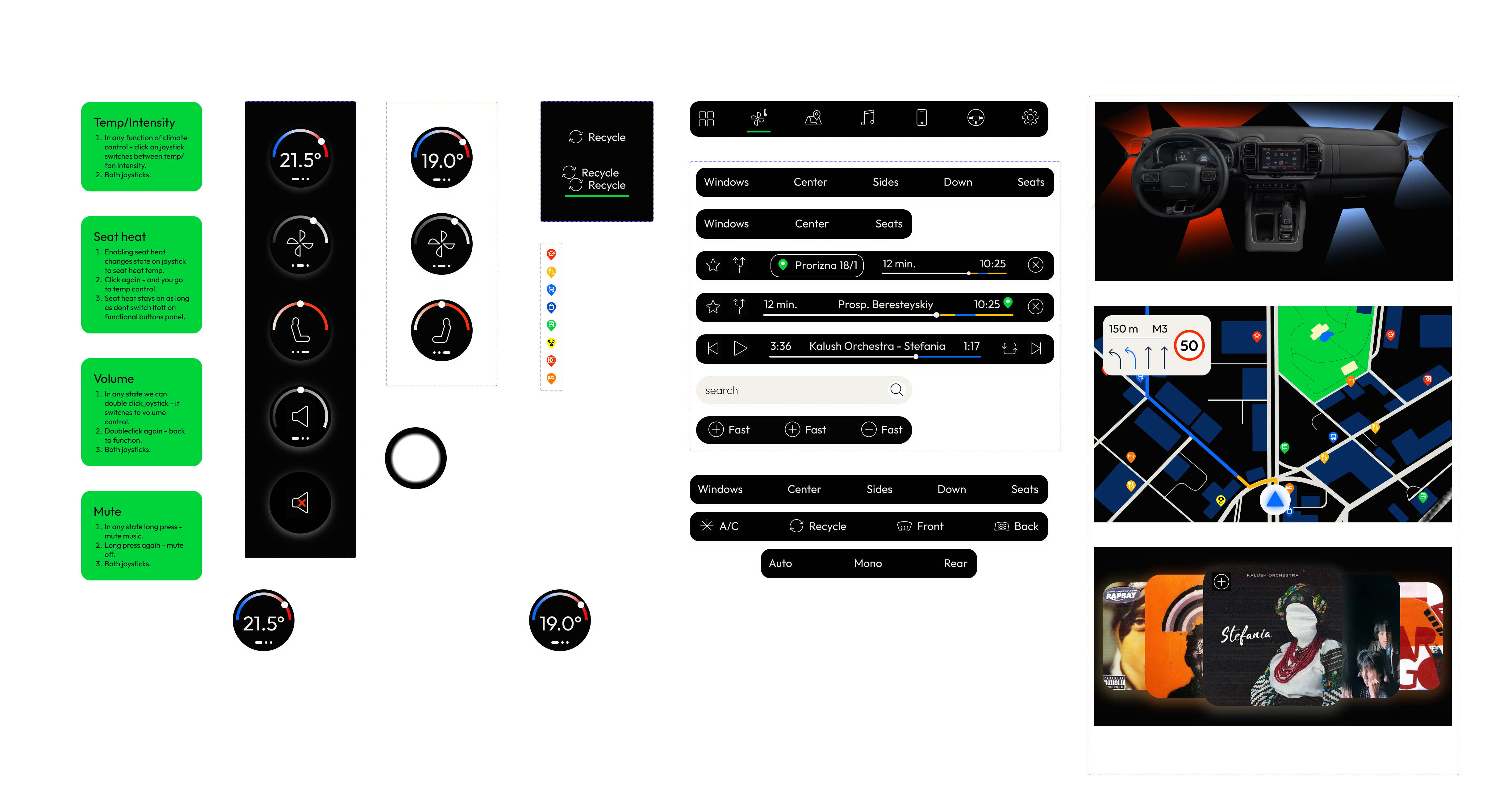
Main display interface
Key Features:
1. Joysticks
Rotating knobs allow drivers to adjust the car’s temperature intuitively, providing tactile feedback and enabling precise control without diverting attention from the road.
The knobs have sensor displays on the surface for audio volume adjustment, facilitating easy and quick changes to audio levels.
2. High-Contrast display
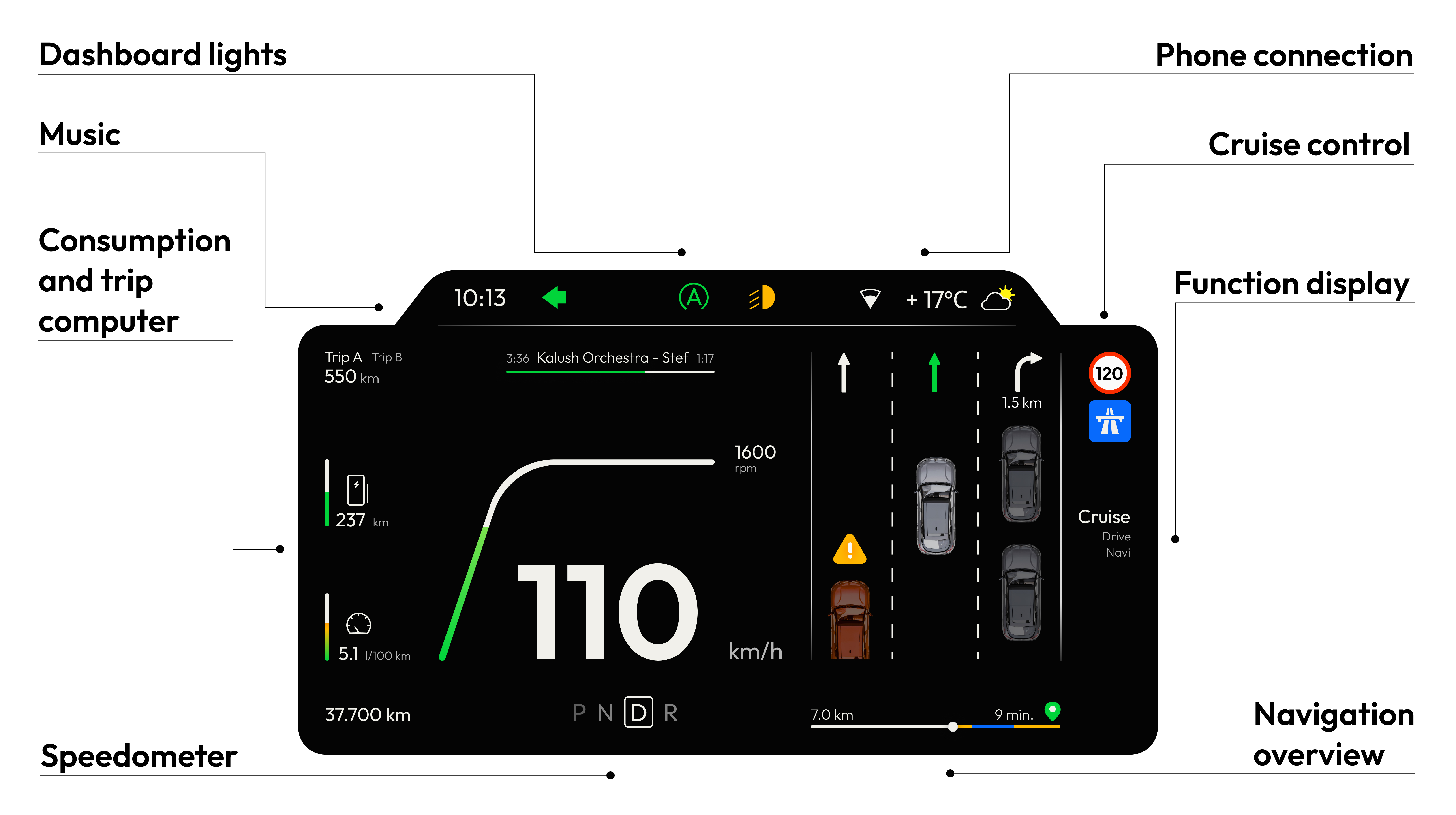
Black, high-contrast screen that presents vital information clearly, ensuring that drivers can easily read data such as speed, fuel levels, and navigation prompts, regardless of ambient lighting conditions.
The display is designed to reduce glare and reflection, further enhancing visibility and reducing strain on the driver’s eyes.
3. Intuitive interface
A user-friendly interface that provides immediate access to commonly used settings and functions, such as climate control, audio settings, and navigation, reducing the need for drivers to navigate through multiple menu levels.
Controls and settings are logically grouped to align with user expectations and usage patterns, ensuring a seamless and efficient interaction.
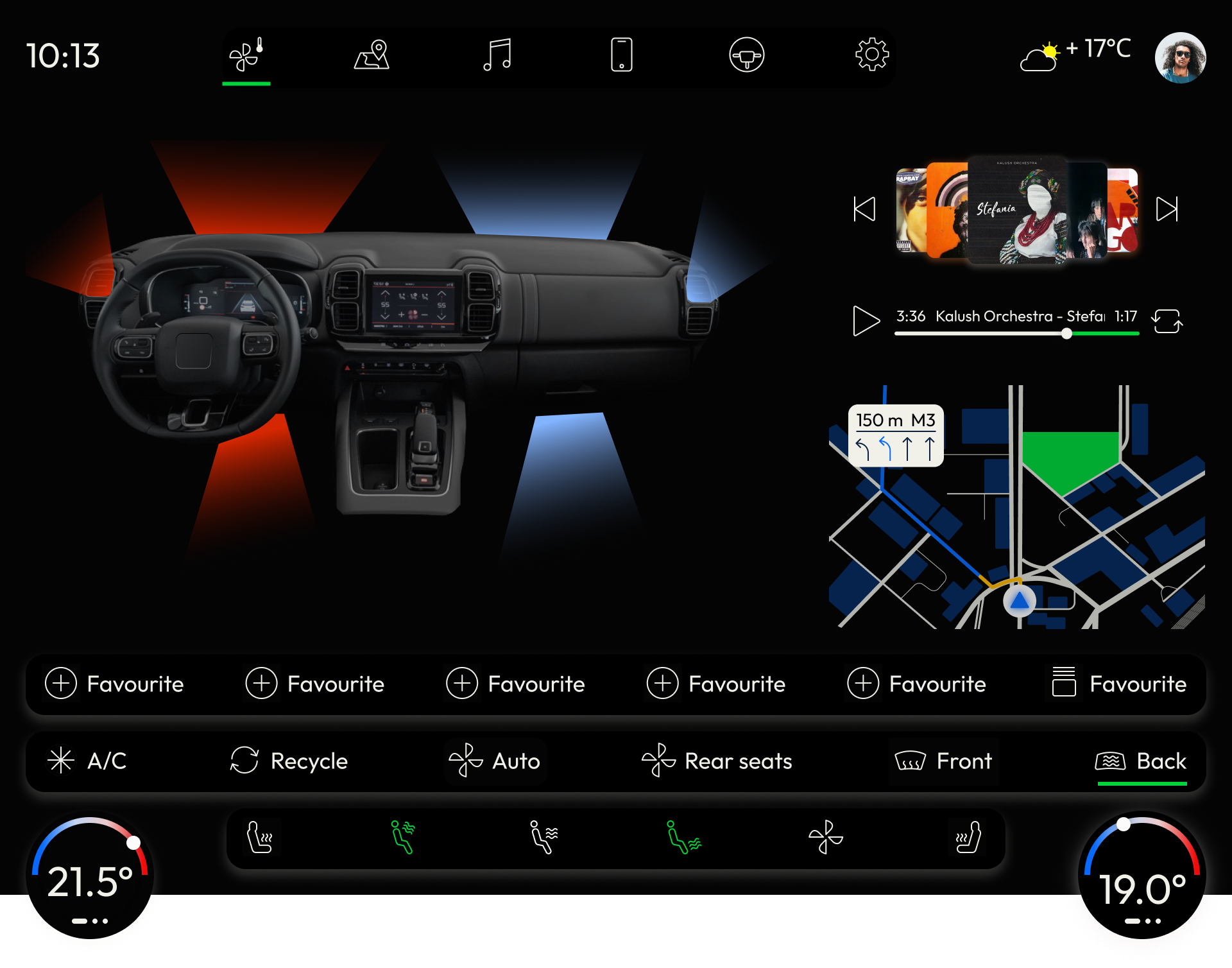
Main panel
Main panel is divided into 4 ares:
- Apps/categories
Categories apps bar is static and visible throughout the whole interface - it gives instant access to each element on nav app panel. - Interactive display
Display shows the interactive image/map/player dedicated to the app. It also visualises main functions enabled by fuctional buttons. - Functional buttons
Display functions and settings relevant and available for the app. - Joysticks
Has displays inside showing the number or function that is active. Using tuning the joysticks is visualized in DISPLAY. ex.:Changing the temp. affects numbers in j.display as well as the airflow color.
Clickin the joystick center display may change the function:in climate app by default we observe temp C, but we press it and can controll airflow intensity and seat heating.
From any app - double click on joystick sensor panel leads to a volume control and long press - turns volume off.
The interface has also a more simple version ,that can be used in more budget vehicles.

Drivers dashboard interface